
How to Cancel a Bond
A bond can be canceled through your Broker Dashboard before the tenant’s move-in date.
On this page
A bond can be canceled through your Broker Dashboard before the tenant’s move-in date.
Important: Once the move-in date has passed, the Request Cancellation option will no longer be available. If the tenant did not move in and the lease has been terminated, please contact support@pandaguarantee.com for assistance.
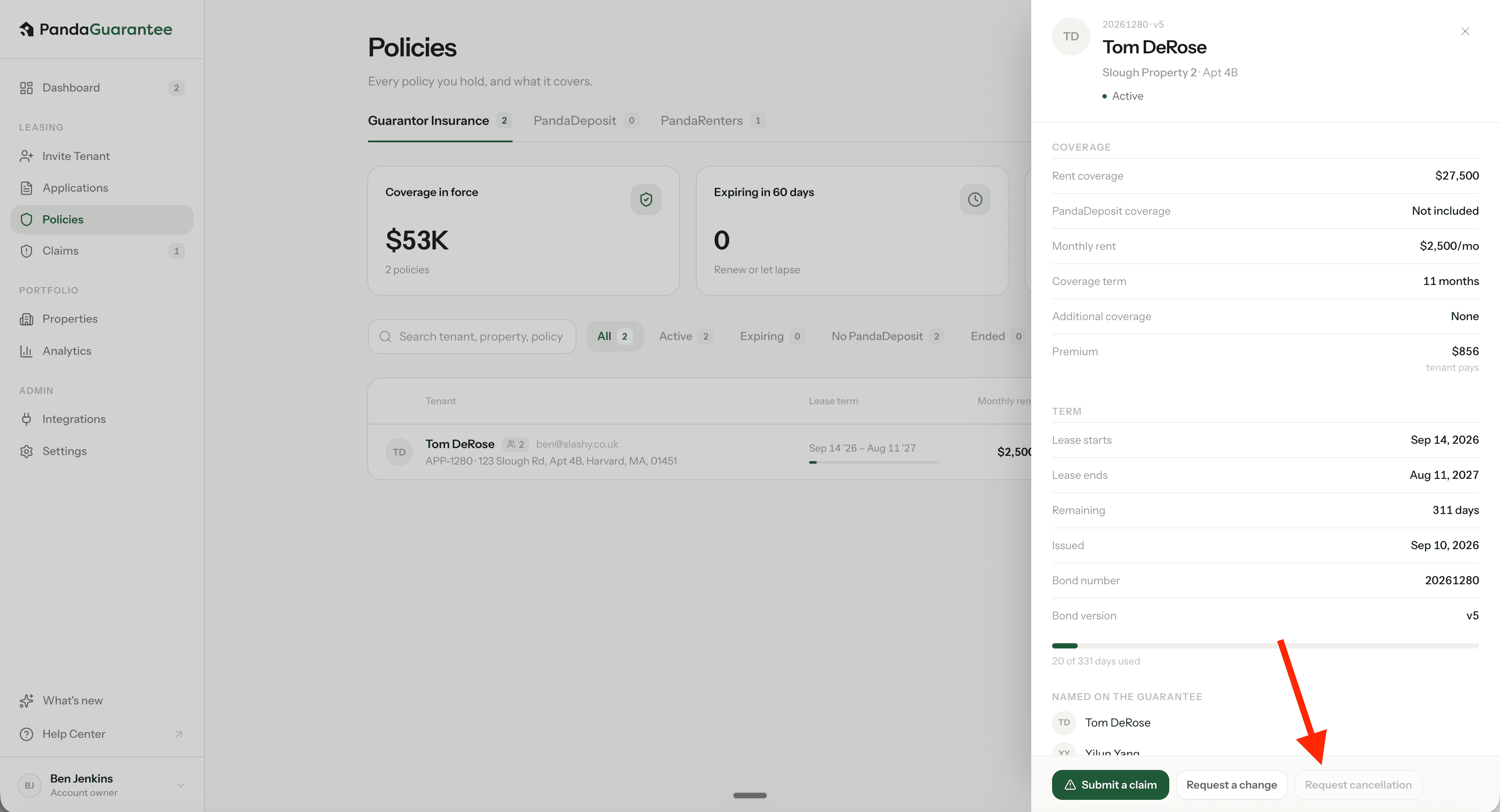
1. Go to Policies
Open your Broker Dashboard and select Policies. Find the policy you would like to cancel.
2. Click “Request Cancellation”
Click the Policy then from the menu select Request Cancellation.
3. Enter a Reason for Cancellation
Enter a brief reason for the cancellation request, such as the tenant no longer moving forward or the lease being terminated.
4. Submit the Request
Click Request Cancellation to submit your request.
5. PandaGuarantee Reviews the Request
A PandaGuarantee administrator will review the cancellation request.
Once approved, the bond will be canceled and the tenant will receive a full refund of the premium paid.
Didn't find what you needed?
Ask our team