
How to Request a Bond Change
Bond changes can be requested within 30 days of the bond’s issuance date. You can submit a change request directly from your Broker Dashboard.
On this page
Bond changes can be requested within 30 days of the bond’s issuance date. You can submit a change request directly from your Broker Dashboard.
You can request changes to Property, Leaseholders, or Lease & Coverage. Multiple changes can be included in the same request.
1. Go to Policies
Open your Broker Dashboard and select Policies. Find the policy you would like to update.
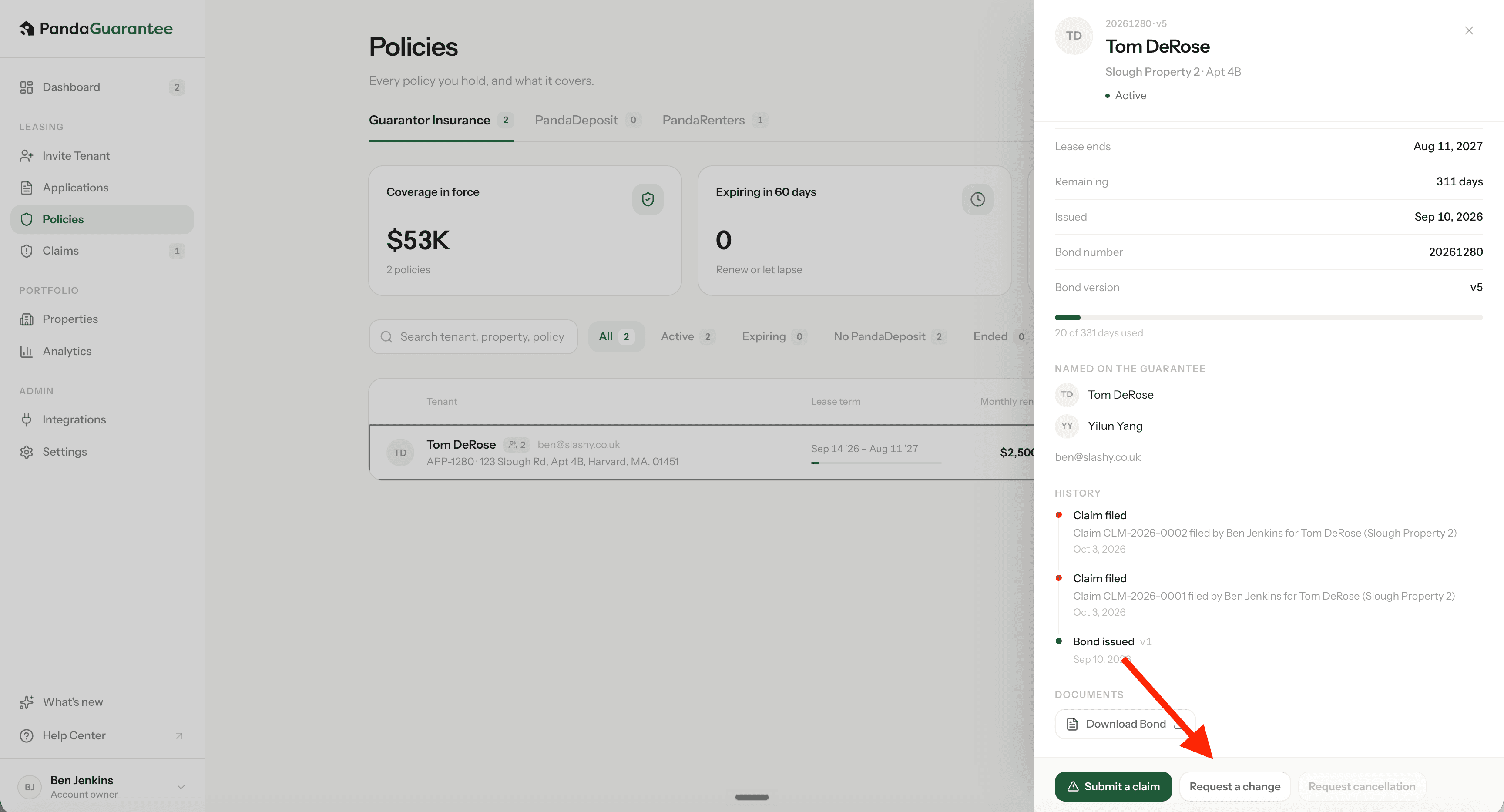
2. Click “Request a Change”
Click the policy then select Request a Change in the slide-out menu.
3. Select What You Would Like to Change
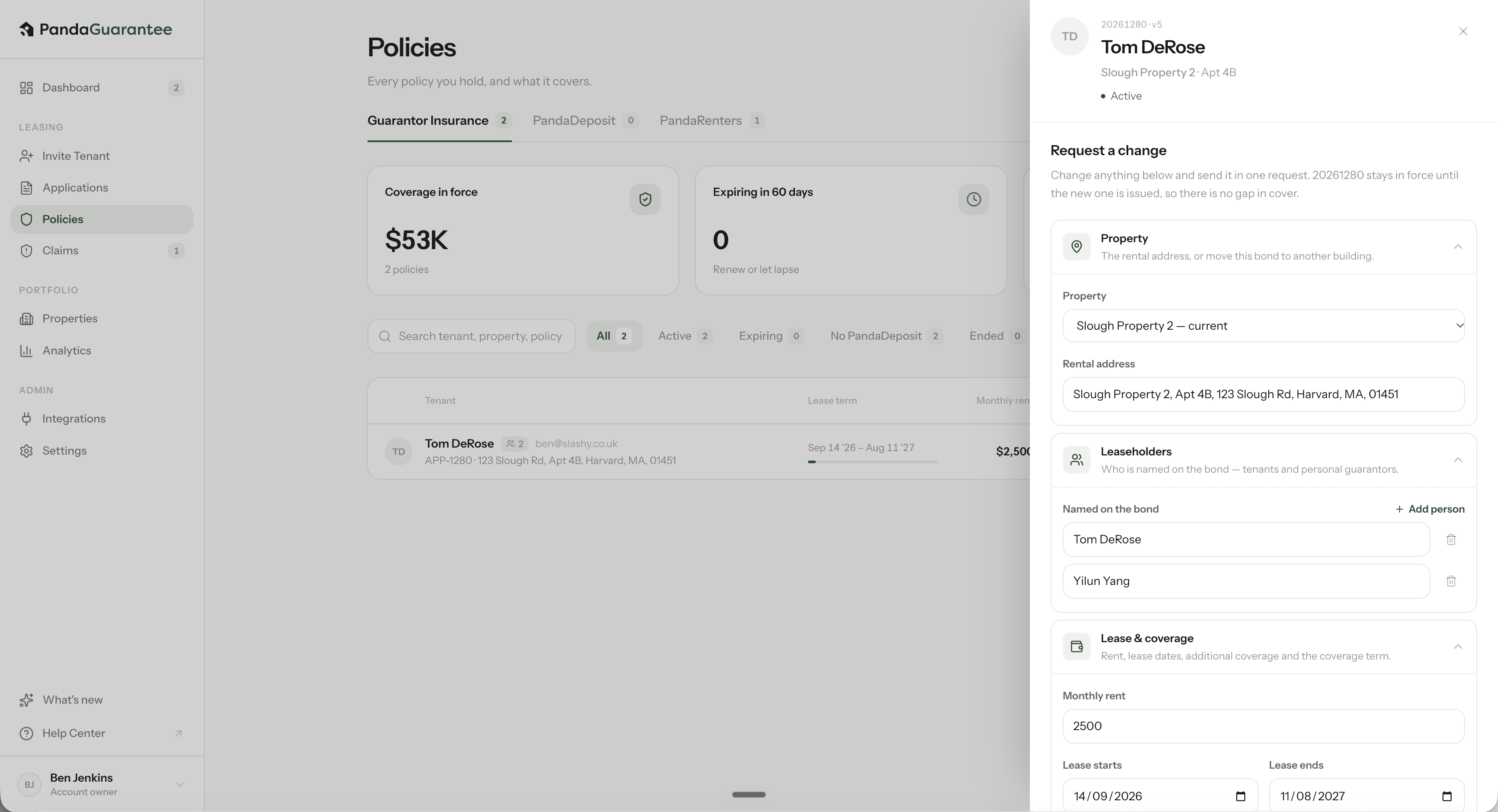
The Request Bond Change window will open. Expand one or more sections depending on what you need to update.
Property
Use this section if the tenant is moving to a different unit or another property in your portfolio.
You can update:
- Assigned property
- Property address or unit information
Leaseholders
Use this section to update the individuals listed on the bond.
You can:
- Add a leaseholder
- Remove a leaseholder
- Correct leaseholder information
- Update personal guarantors
Lease & Coverage
Use this section when the lease terms or coverage need to be updated.
You can update:
- Monthly rent
- Lease start and end dates
- Additional coverage, such as eligible monthly pet fees or other recurring charges
- Bond coverage term
4. Review and Submit Your Request
Review the updated information and add any helpful context under Additional Comments.
Click Submit Request when you are ready.
5. PandaGuarantee Reviews the Request
A PandaGuarantee administrator will review your bond change request.
If the requested change results in an increase in premium, such as an increase in monthly rent or an extension of the lease or coverage term, an additional invoice will be sent to the tenant. Once the additional premium is paid, PandaGuarantee will re-issue the updated bond.
If the change does not affect the premium, such as a unit number or address update, the bond will be updated and re-issued directly. You will typically receive the updated bond by email, along with a system notification, within one hour.
Important: Bond change requests must be submitted within 30 days of the bond’s issuance date. Requested changes are subject to review and may result in an additional premium.
Didn't find what you needed?
Ask our team