
Changing PandaDeposit Coverage
The bond protecting you is only as good as the details on it. If something material changes — or was entered incorrectly — you can request an update from your dashboard rather than starting…
The bond protecting you is only as good as the details on it. If something material changes — or was entered incorrectly — you can request an update from your dashboard rather than starting over. Start by navigating to the SDR Policy page.
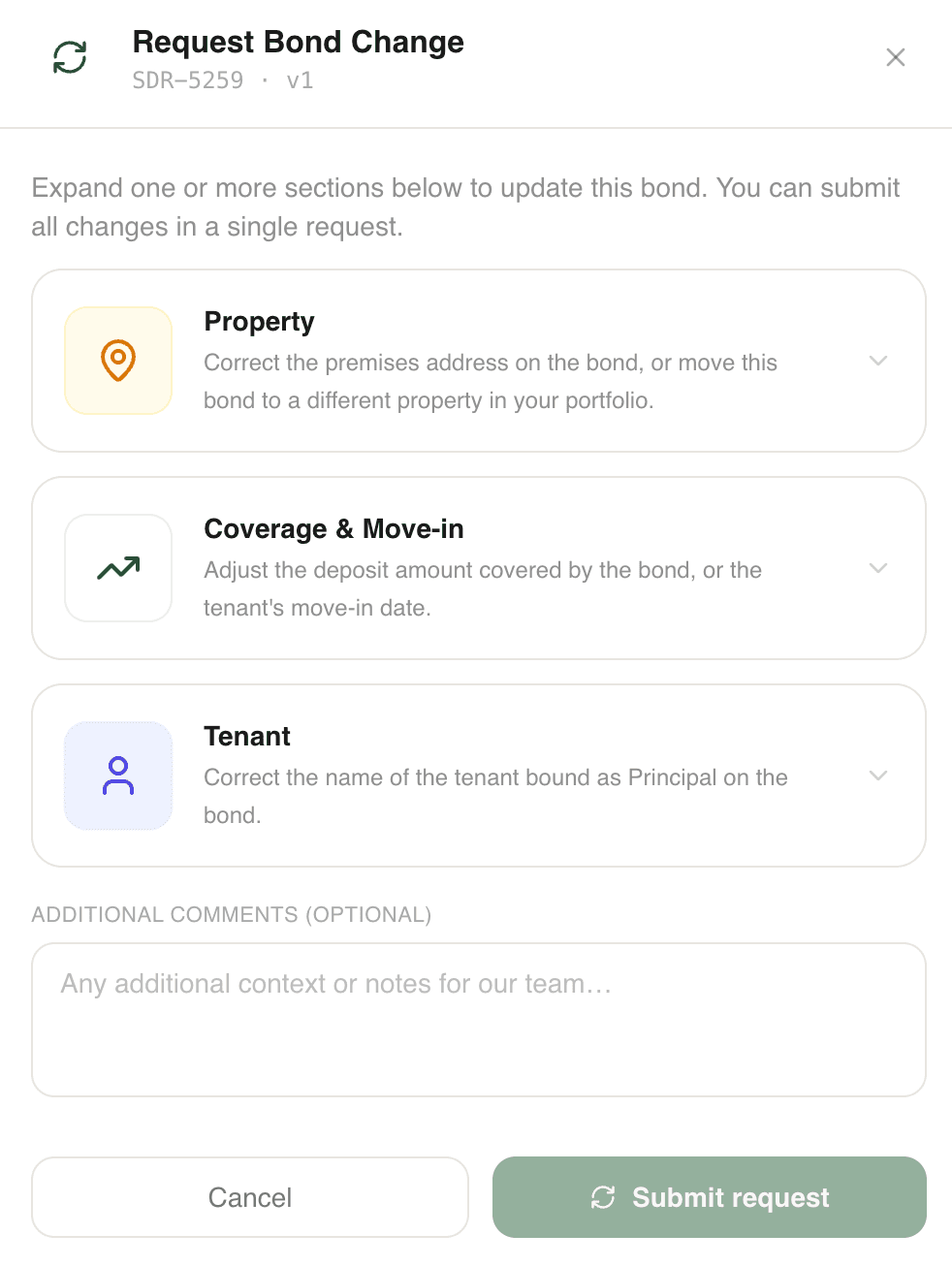
Go to Policies → PandaDeposit, find the policy, and click Request a change. You can expand one or more sections and submit everything in a single request.
What can be changed
Coverage & Move-in — Adjust the deposit amount the bond covers, or the tenant's move-in date.
Property — Correct the premises address on the bond, or move the bond to a different property in your portfolio.
Tenant — Correct the name of the tenant bound as Principal on the bond.
There's also an optional comments box — use it to give our team context on why you're requesting the change.
When you'd want to change coverage
Most bonds never need a change. The situations that call for one are ones where the bond no longer matches the lease:
- The rent changed significantly. Since deposits are typically set relative to rent, a meaningful rent change — a renegotiated lease, a unit upgrade — can leave your coverage amount out of step with the deposit you'd otherwise be holding. Updating the coverage keeps your protection aligned with the lease.
- The move-in date moved significantly. If the tenancy is starting materially earlier or later than the bond states, update it so the coverage period matches the actual lease term. We send move-in and renewal information based on these dates.
- Something on the bond is simply wrong — a misspelled tenant name, an incorrect address, or the bond attached to the wrong property. These are worth fixing even if nothing about the lease changed, because accurate details matter if you ever need to claim.
Small day-to-day variations don't need a request — it's significant changes and errors that do.
What happens after you submit
If your request falls within certain criteria, it is processed automatically, and you will receive an email confirming the change. Otherwise it goes to our team for review, and will be approved during business hours.
Once processed, the updated bond replaces the previous version on your policy, and will be reissued to you via email. If we need anything from you, we'll reach out.
Didn't find what you needed?
Ask our team