
Invite a Tenant to Apply for PandaDeposit
Inviting a tenant to apply for PandaDeposit is quick and easy. It will take you less than 60 seconds.
1 min readUpdated August 27, 2026
On this page
Inviting a tenant to apply for PandaDeposit is quick and easy. It will take you less than 60 seconds.
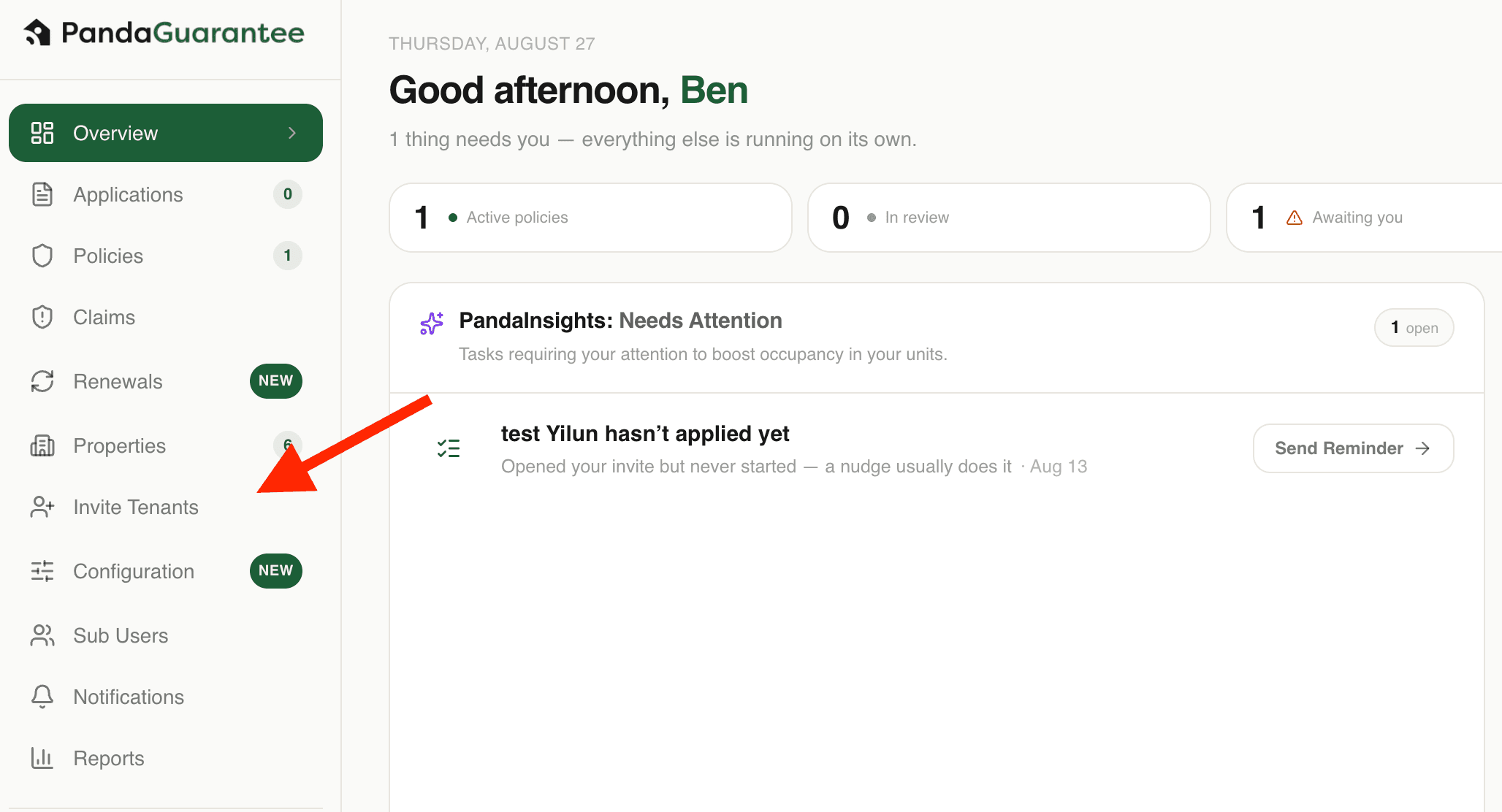
1. Navigate to the Invite Tenants Page
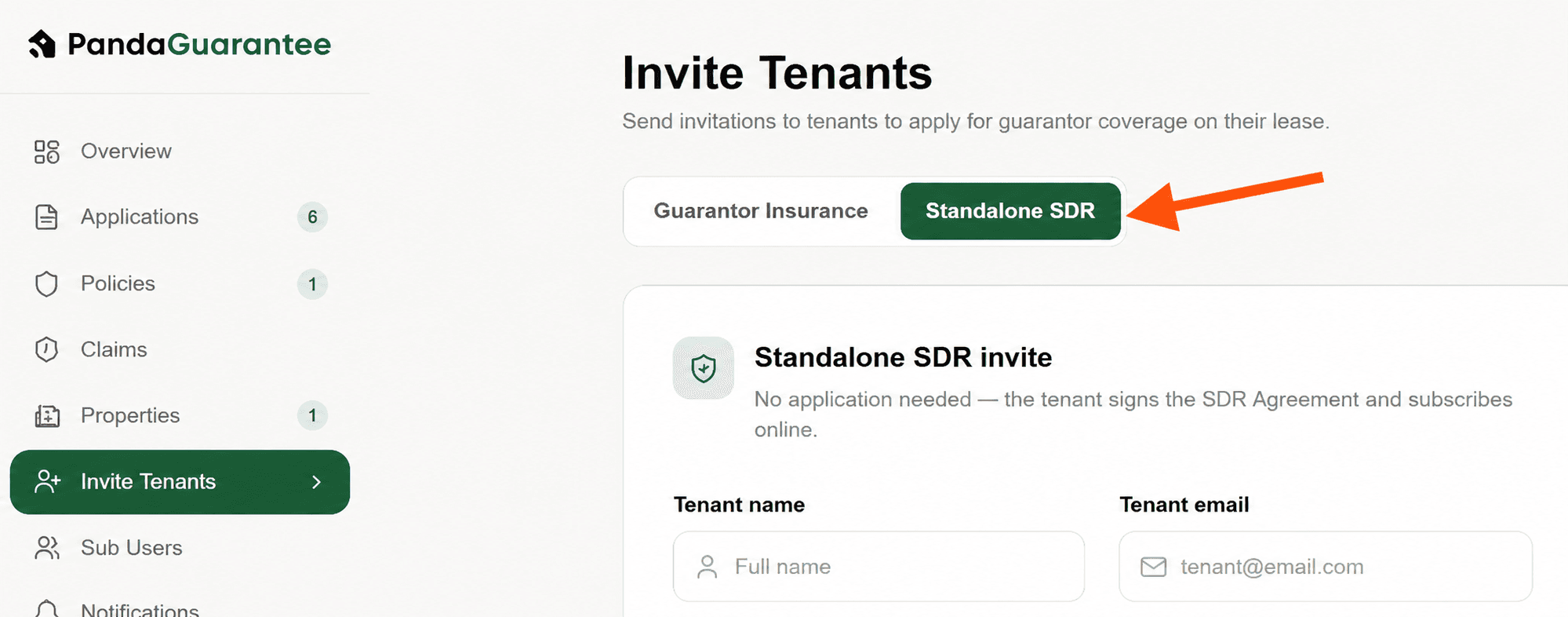
2. Select Standalone SDR
3. Input the tenant and lease details.
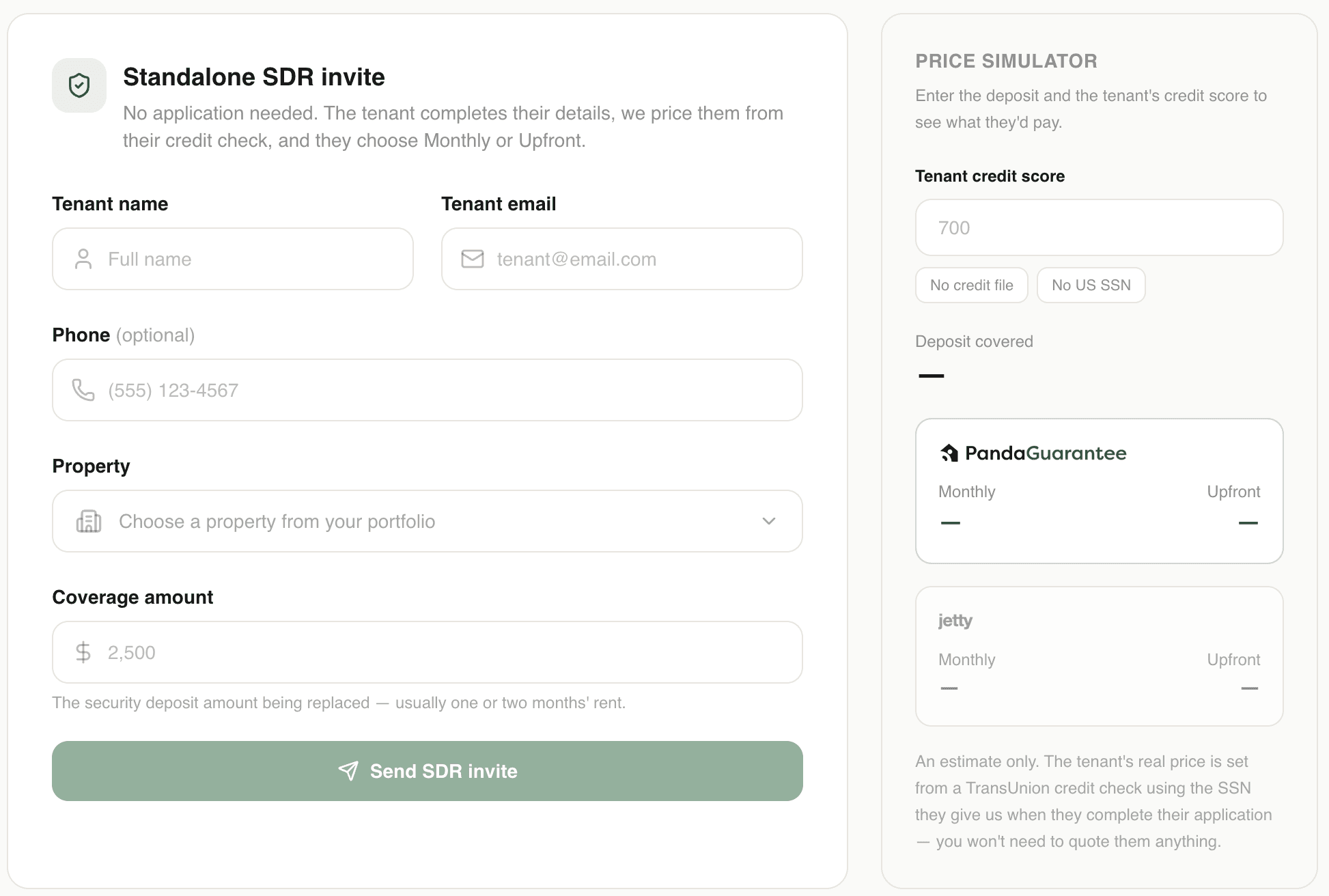
If you don't see your desired property in the drop down, please register your property.
4. Send the Invite, and tenant will receive an email
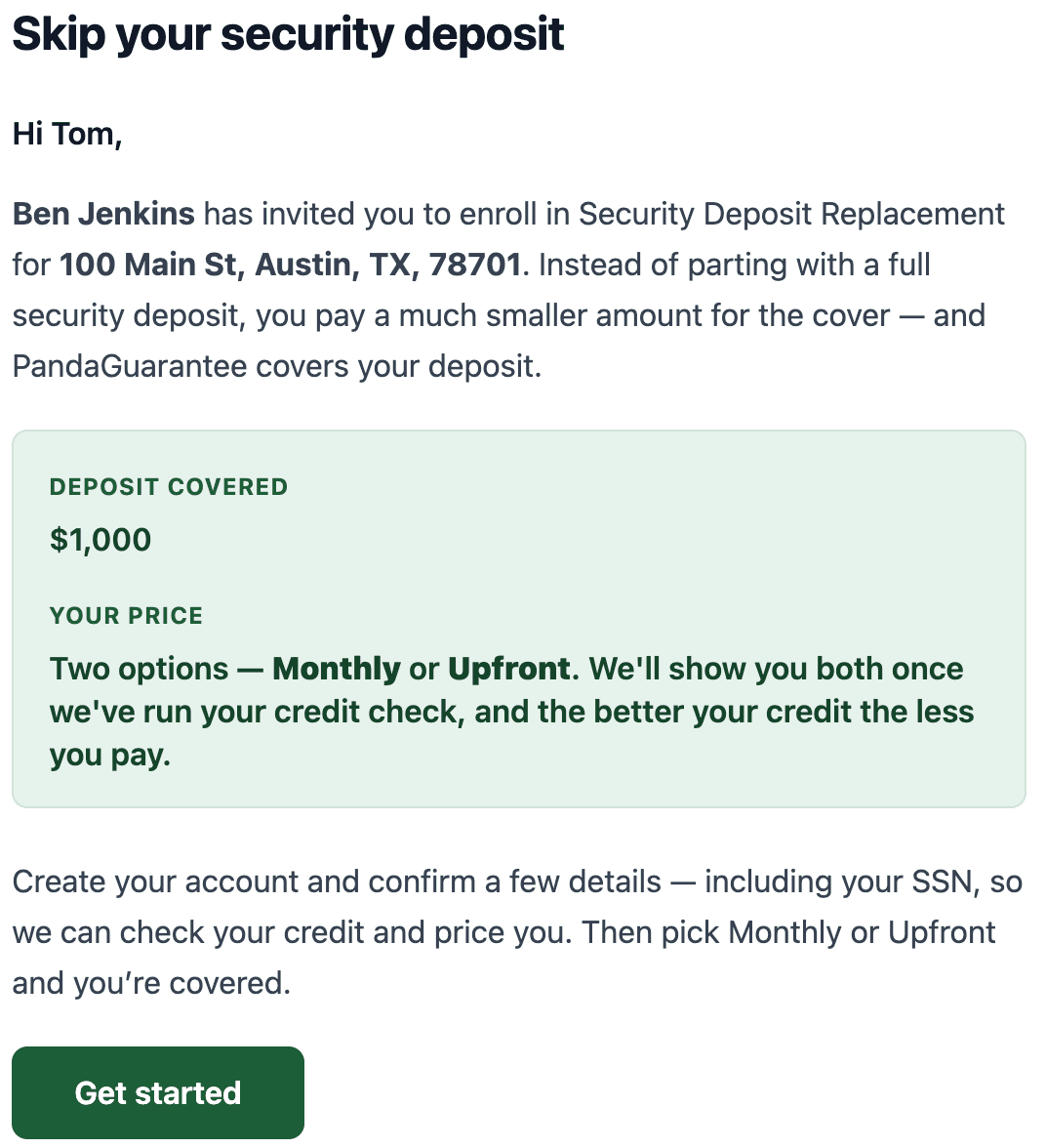
If you add their phone number, they will also receive a text invitation.
That's it! The tenant has received their invite and it's up to them to apply and pay. You can learn about the status of your invites and policies in our article: Managing My PandaDeposit Applications and Policies
Didn't find what you needed?
Ask our team