
Managing My PandaDeposit Applications and Policies
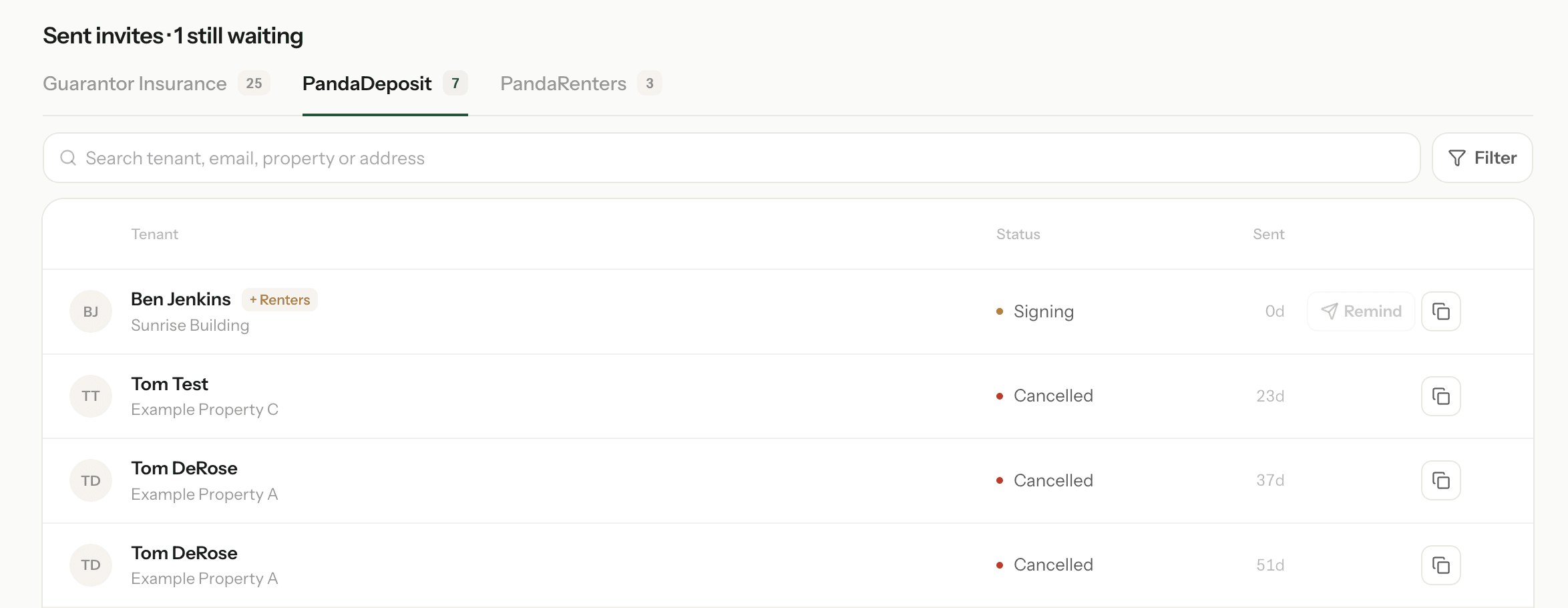
You can view the status of all your PandaDeposit applications at the bottom of the Invite Tenants page on your dashboard. Simply select PandaDeposit. This is the best place to check if…
Tracking Applications in Progress
You can view the status of all your PandaDeposit applications at the bottom of the Invite Tenants page on your dashboard. Simply select PandaDeposit. This is the best place to check if you're waiting on a tenant and want to see where things stand.
Each application moves through a few stages before coverage is issued:
- 1Invite Opened – The tenant has opened your invitation.
- 2Application Submitted – The tenant has completed and submitted their application. (This takes less than a minute).
- 3Payment Received – The tenant has paid their premium.
- 4Agreement Signed – The tenant has signed the PandaDeposit agreement.
If an application seems stalled, this view shows you exactly which step is holding things up — for example, whether the tenant hasn't opened the invite yet, or has applied but hasn't completed payment.
Viewing Issued Policies
Once a tenant has paid and signed their agreement, coverage is issued and the policy will appear on the Policies page of your dashboard.
For each policy, you can see:
- Lease start and end dates
- Coverage amount
- Tenant details
- Move-in and move-out video status – whether the tenant has recorded their move-in and move-out videos
From the Policies page, you can also submit a claim on any active policy.
Didn't find what you needed?
Ask our team