
PandaDeposit Invite Link
Your SDR page is a shareable link where any of your tenants can apply for PandaDeposit themselves — no individual invites needed. Tenants pick their property, enter the deposit from their…
On this page
Your SDR page is a shareable link where any of your tenants can apply for PandaDeposit themselves — no individual invites needed. Tenants pick their property, enter the deposit from their lease, and get priced from their own soft credit check. Nothing is signed or charged until you confirm.
You'll find it under Configuration.

- 1The tenant opens your link. They pick their property from your list and enter the deposit from their lease.
- 2We price them. A soft credit check sets their Monthly and Upfront options. Soft checks have no impact on their credit score.
- 3You confirm. Because the tenant provides the monthly rent and address themselves, the bond won't issue until you've checked those details against the lease and approved. This is your control point — approve or decline.
- 4They sign and pay. Your bond is issued automatically the moment payment lands.
Applications waiting on your confirmation are sent to you via email and appear on your dashboard.
Sharing your link
- Copy the link and send it to tenants directly, or drop it in listings and lease packets.
- Customize the URL to something relevant to your company.
- Download the QR code (PNG or SVG) and print it on lease packets, flyers, and building noticeboards — tenants scan it and land straight on your page.
Make it look like yours
Under Your branding, upload your logo and set the name tenants see at the top of the page — the same branding your invites already use. You can also replace the default intro paragraph with your own welcome message (up to 500 characters). The live preview on the right shows exactly what tenants will see as you save changes.
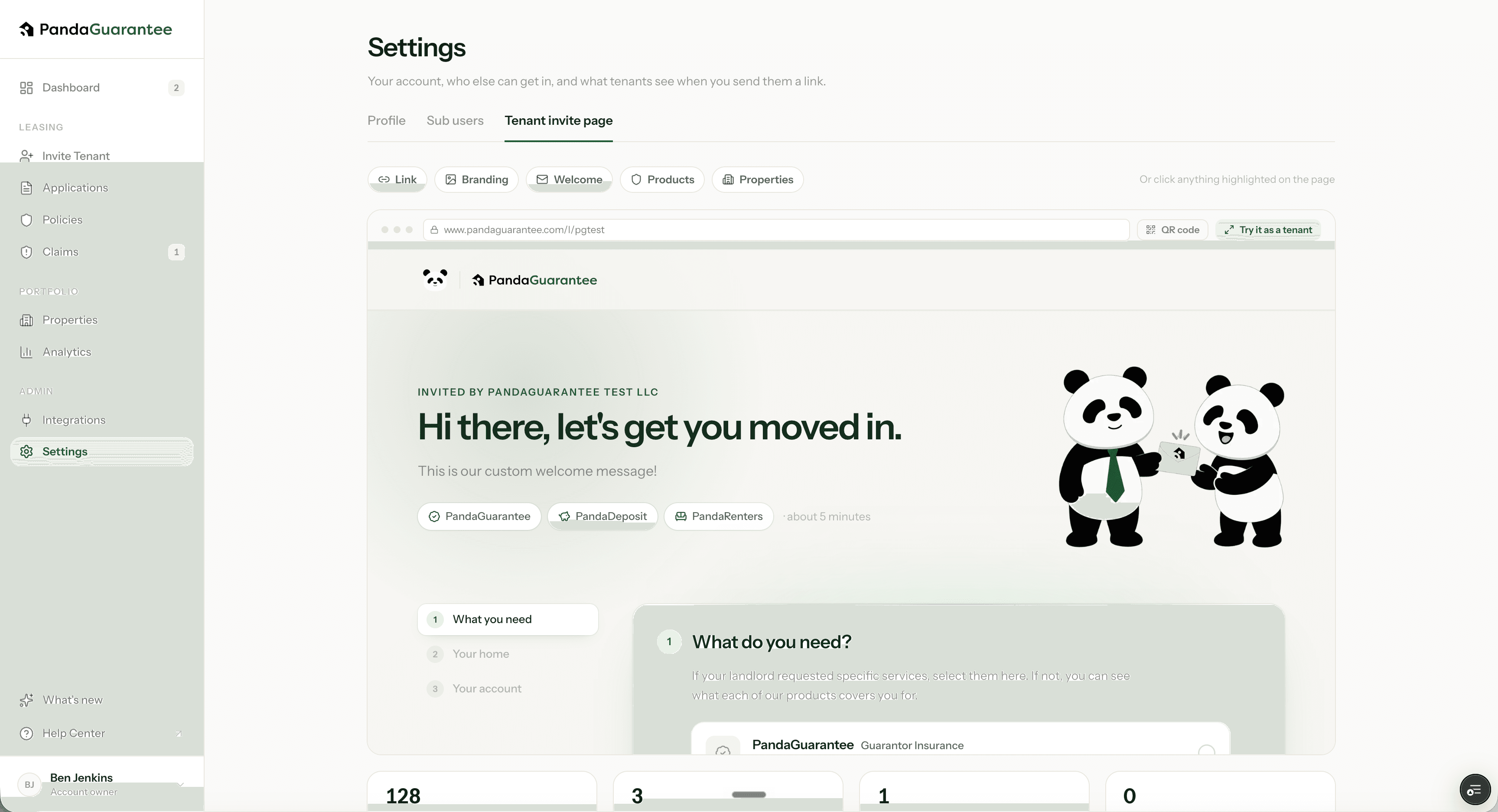
PandaDeposit is something all your tenants might be interested in. This invite link makes it easy to refer dozens, hundreds, or even thousands of applicants without having to invite them individually.
Didn't find what you needed?
Ask our team