
Add and Manage Properties
1. Click "Import Properties" Click "Import Properties" under "Properties" Section
1 min readUpdated October 26, 2026
1. Import Multiple Properties at Once
- 1Click "Import Properties"
Click "Import Properties" under "Properties" Section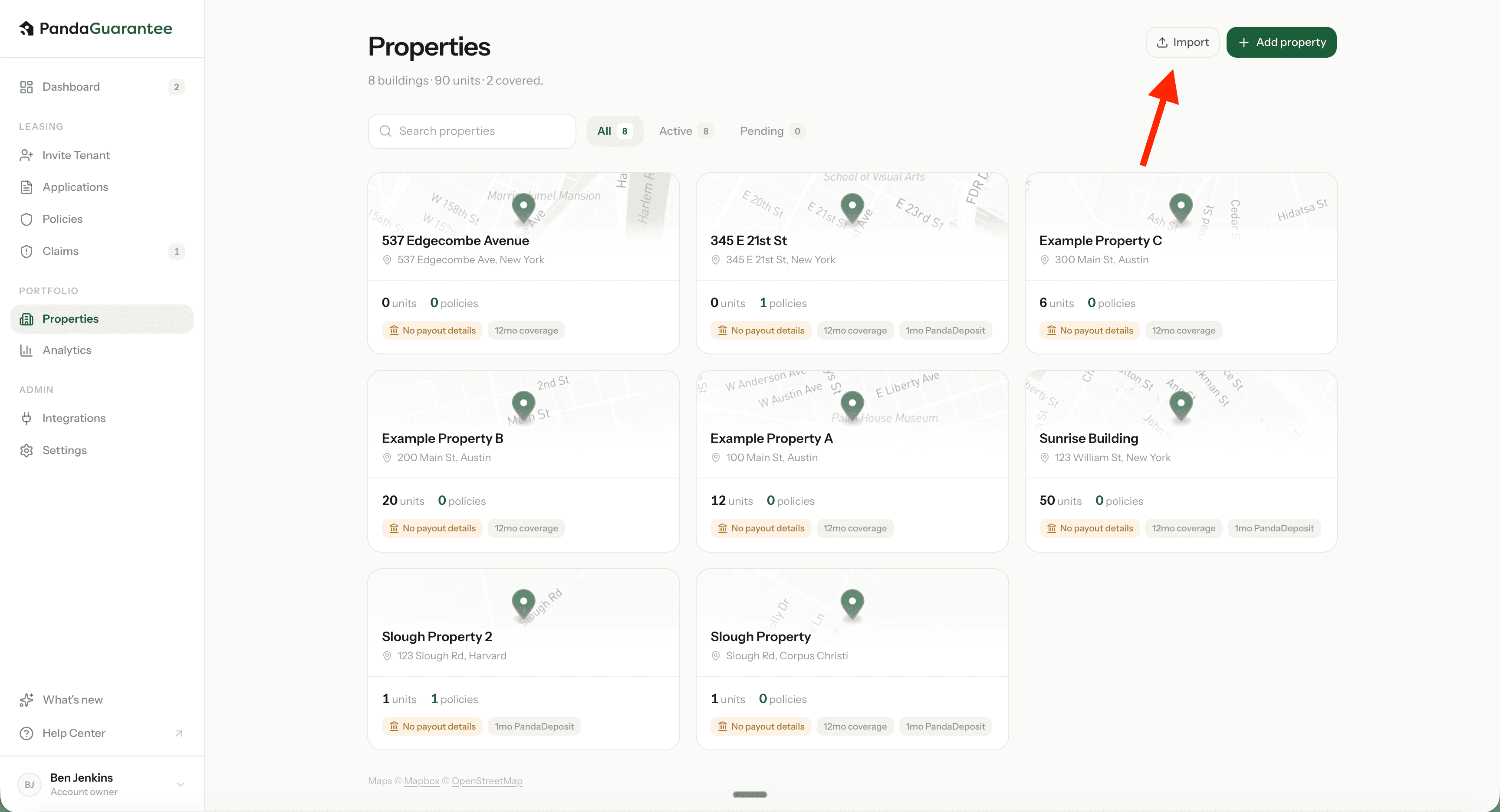
- 2Download the template
Columns are labeled clearly — one property per row. Or use your own spreadsheet.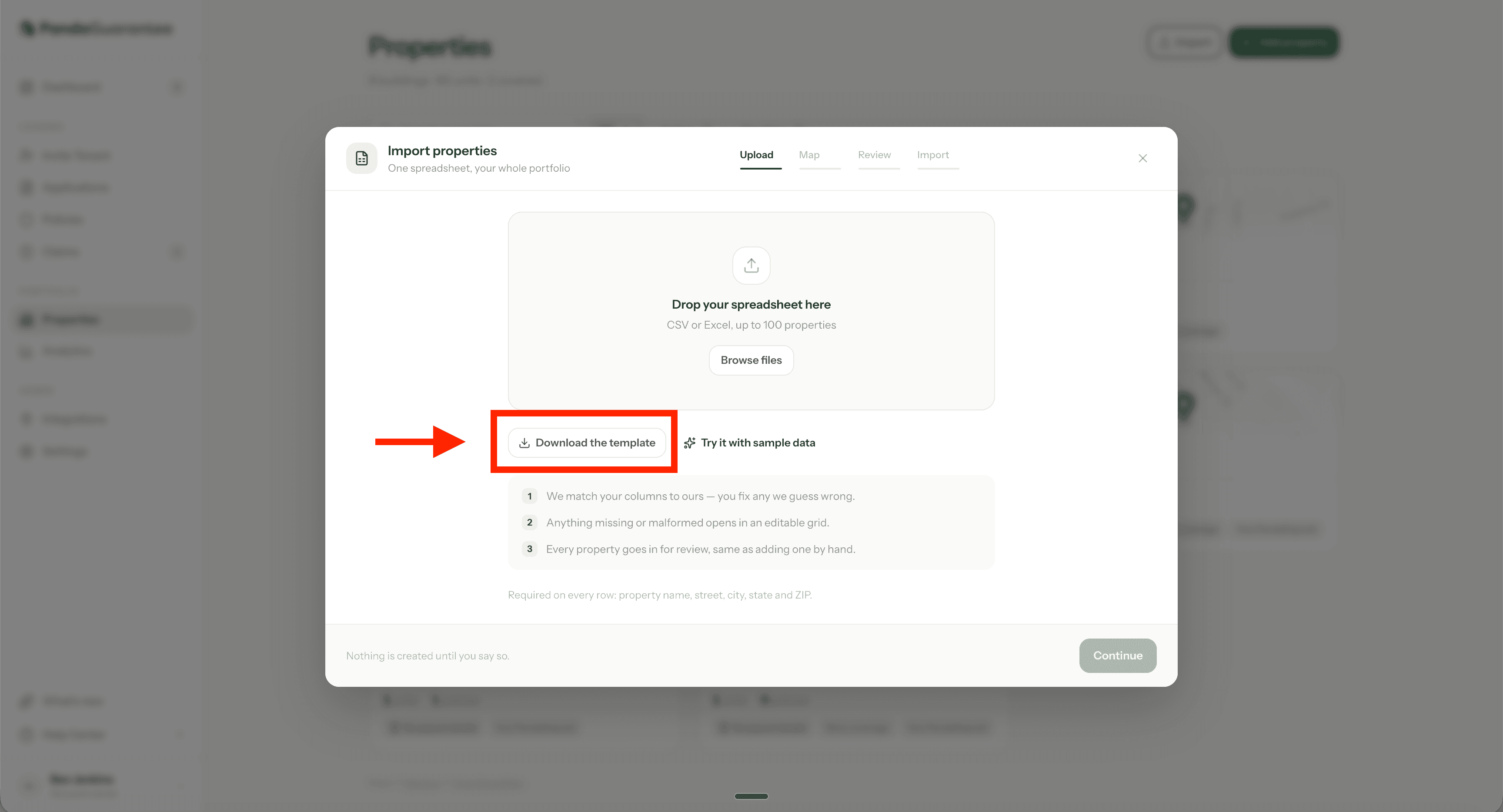
- 3Map & fix gaps
We’ll match your columns. Missing required fields open in a spreadsheet-style grid.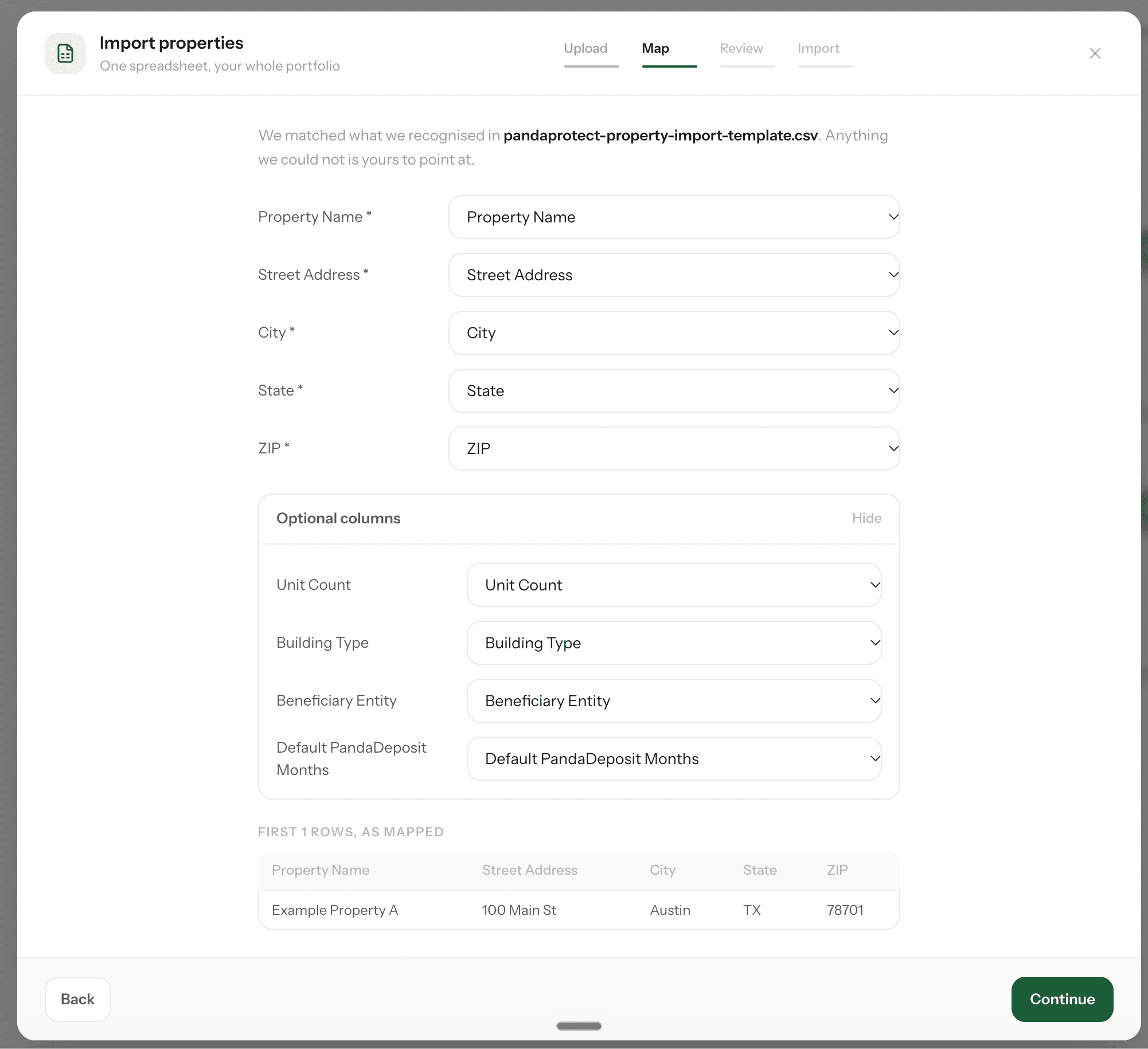
- 4Watch the import
Every property is submitted for review — same as adding one at a time.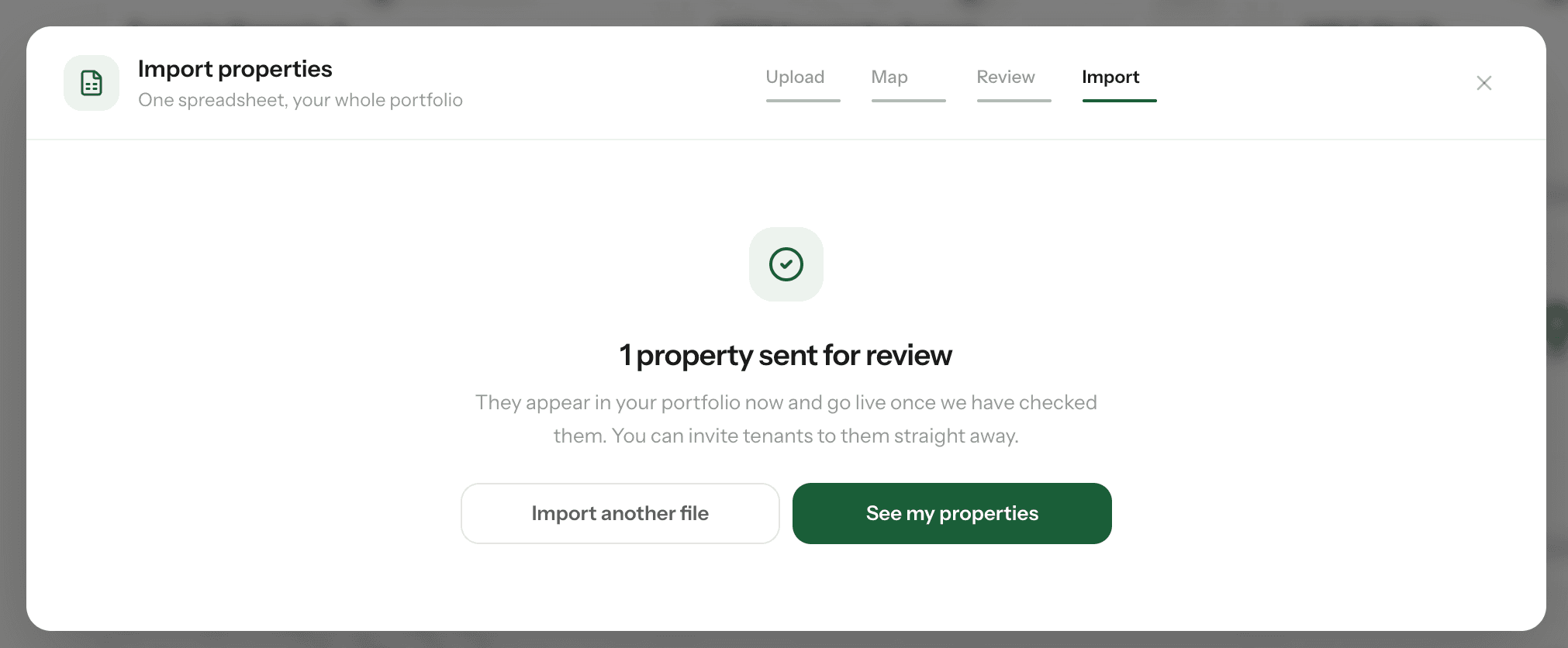
2. Add a Property Manually
- 1Click Add Property
Go to the Properties section in your landlord dashboard and click Add Property.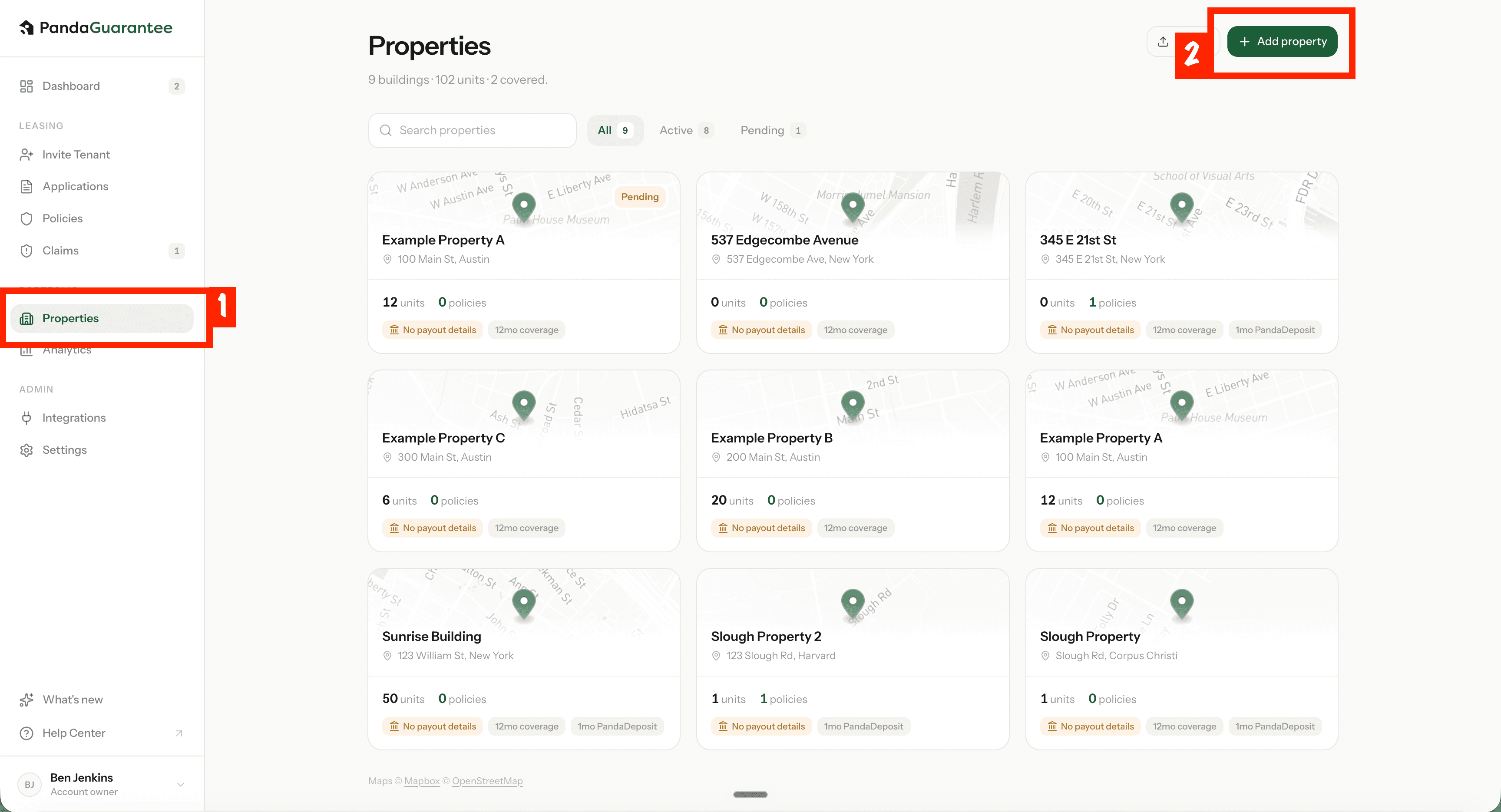
- 2Fill in details
Fill in the required property details, including the property information, beneficiary name, and Default SDR amount.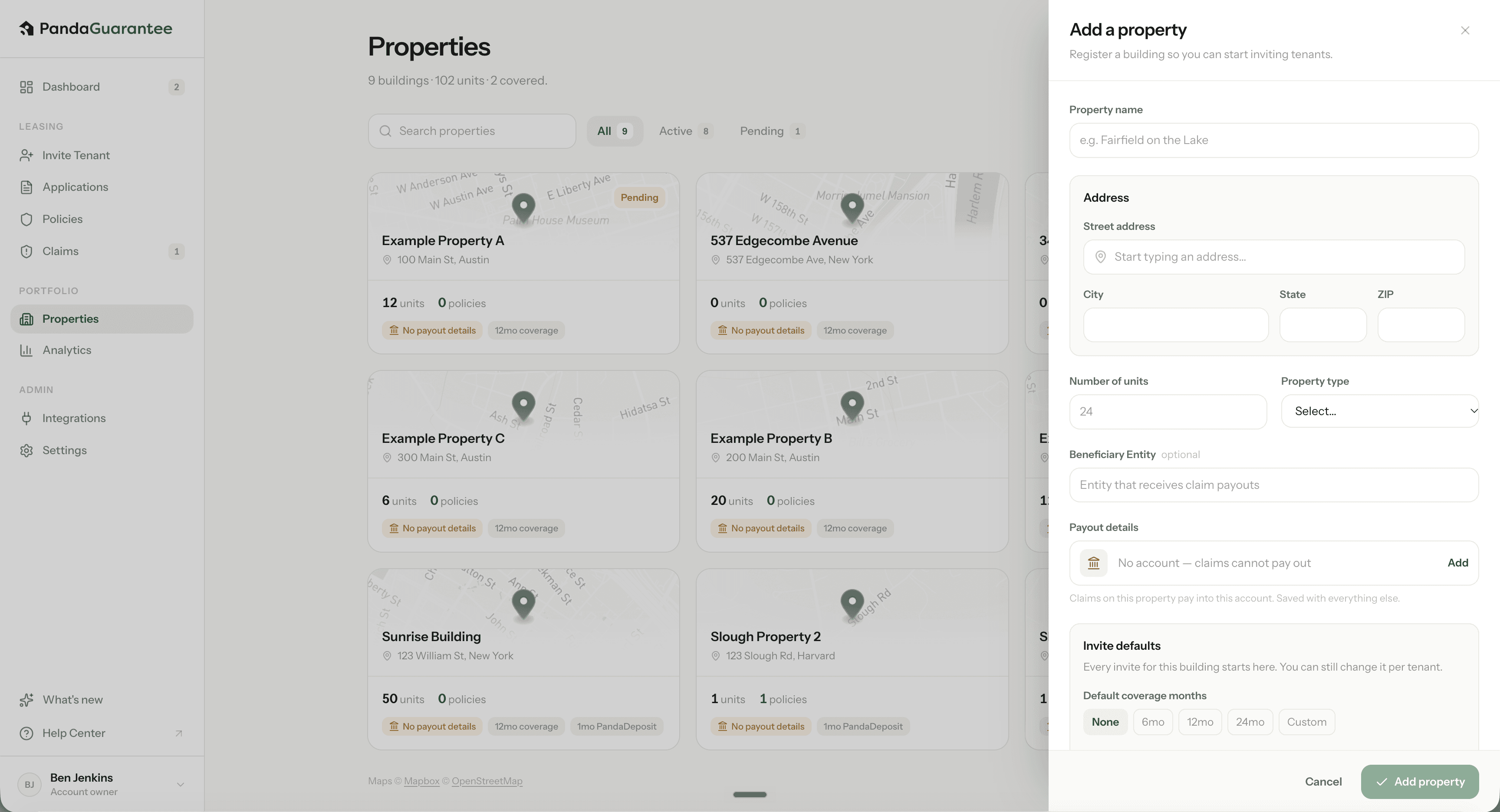
- 3Click "Add Property"
Review the information and click Add Property to complete the setup.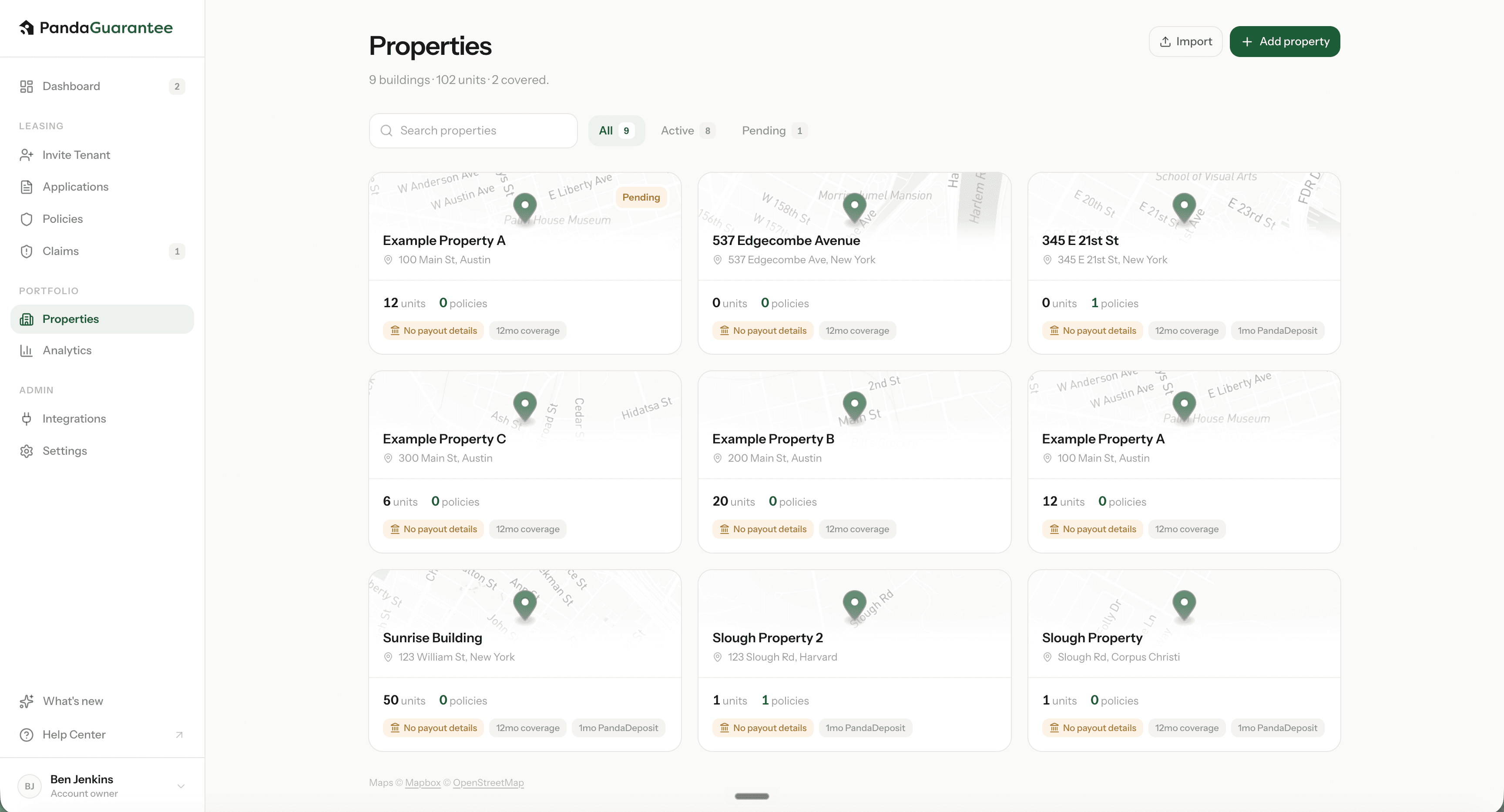
Key terms
- Property Name
The name of the property or apartment community. - Beneficiary Name
The landlord, property owner, or legal entity entitled to receive payment under the policy in the event of a covered loss.
Learn more: Need a hyperlink - Default SDR
The default Security Deposit Replacement (SDR) coverage amount for the property. This amount will be pre-filled when inviting a tenant for SDR. - Unit Count
The total number of units at this property. - Building Types
- Condo — A condominium where each unit is individually owned.
- Co-op — A cooperative property where residents own shares in the corporation rather than the individual unit.
- Rental / Multifamily — A residential building with multiple rental units under the same property.
- Single Family — A standalone residential home designed for a single household.
- Townhouse / Row Home — A residential home that shares one or more walls with neighboring properties.
- Other — Select this if the property does not fit any of the listed building types.
- Pending vs. Active PropertiesPending properties are newly registered properties awaiting admin review, while Active properties have been reviewed and approved.
Didn't find what you needed?
Ask our team