
Add Payout Details
Panda claim payments can be sent via ACH, wire transfer, or check. Adding your payout details in advance means that when a claim is approved, your payment goes out without delay.
Why Set This Up
Panda claim payments can be sent via ACH, wire transfer, or check. Adding your payout details in advance means that when a claim is approved, your payment goes out without delay.
How to Add Your Payout Method
- 1Go to the Properties page of your dashboard and select the property you want to add a Payout account for.
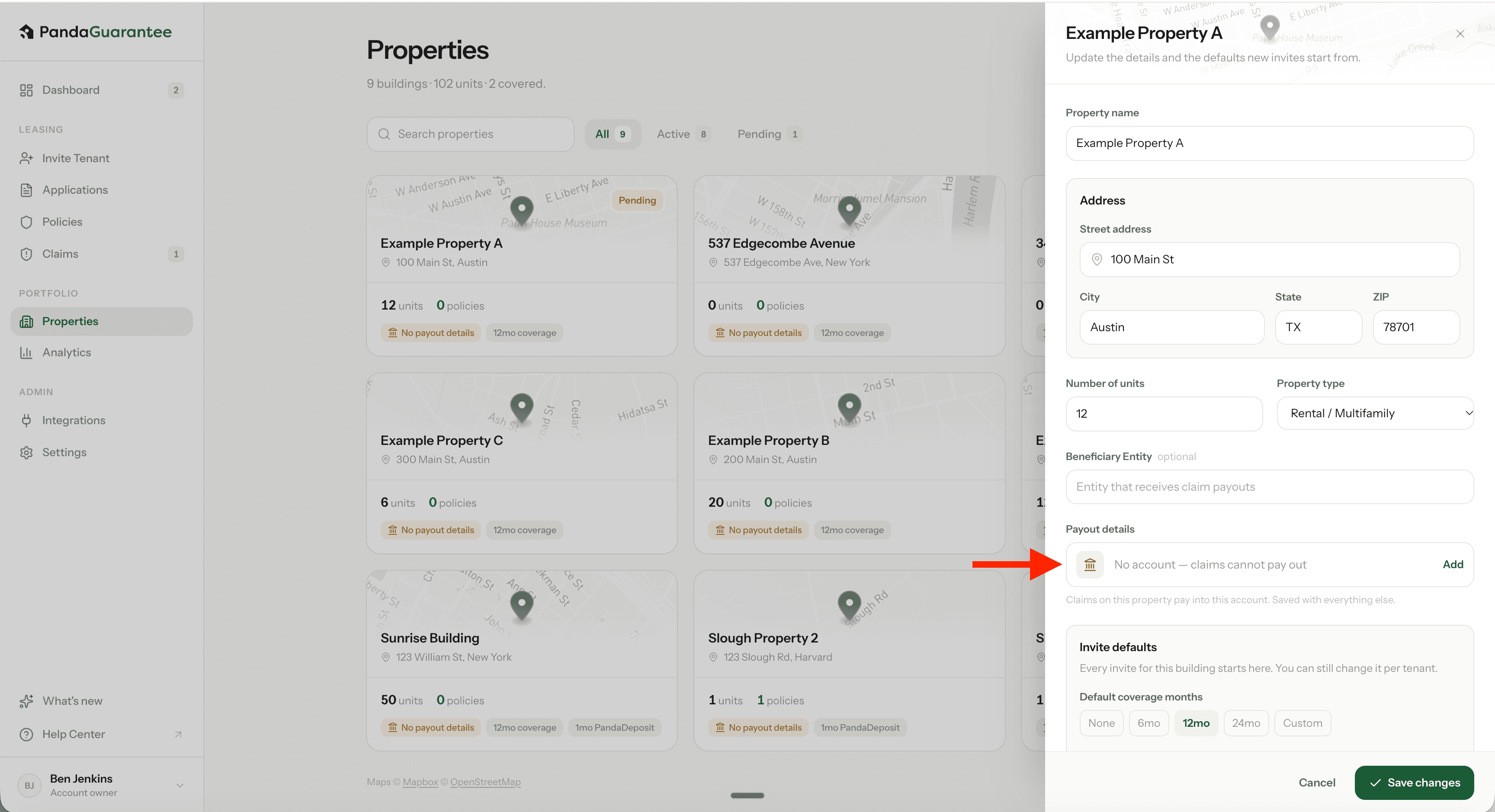
- 2Select "No account - claims cannot payout. Add"
- 3Choose whether you're paying out to a Business account or a Personal account.
- 4Fill in your account details:
- Account holder name – exactly as it appears on the account
- Bank name (optional)
- Account type – checking or savings
- Routing number – 9 digits
- Account number – entered twice to confirm
- 5Enter the account holder's address. This is required by our bank for ACH payments.
- 6Click Save & send test deposit.
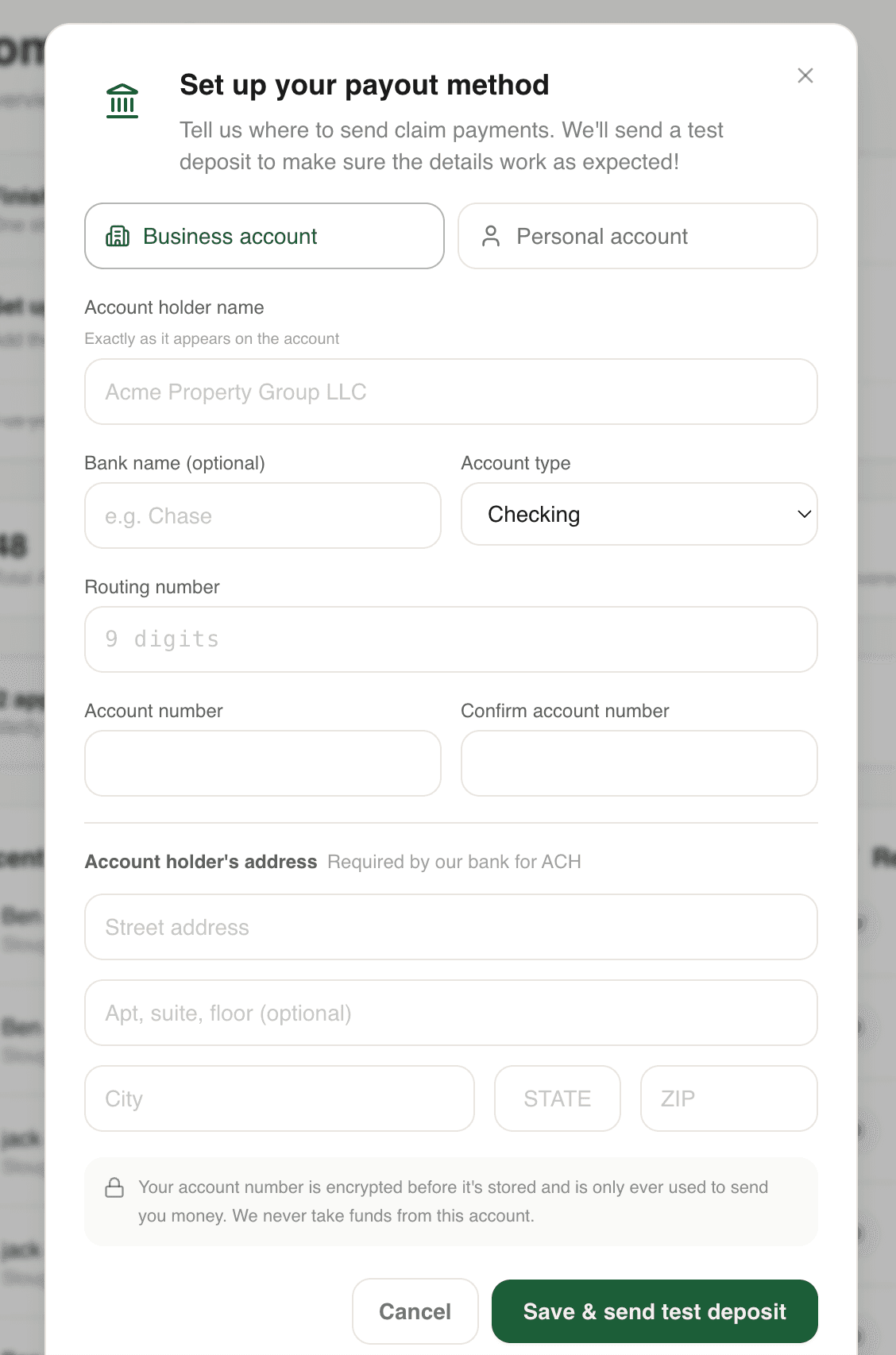
Your account number is encrypted before it's stored and is only ever used to send you money — we never take funds from this account.
The Test Deposit
When you save your payout details, we send a $5.95 test deposit to your account to confirm the connection works as expected. It usually lands within 1–3 business days.
The test deposit is on us — there's no need to send it back. Your next coffee is on Panda. ☕

Didn't find what you needed?
Ask our team