
Adding PandaDeposit to your Lease Guarantee
PandaDeposit replaces the cash security deposit. On a lease covered by PandaGuarantee you can add it too, so the tenant moves in without handing over a deposit and you keep the same…
On this page
PandaDeposit replaces the cash security deposit. On a lease covered by PandaGuarantee you can add it too, so the tenant moves in without handing over a deposit and you keep the same protection. It costs you nothing — the tenant pays for it.
How you add it depends on how far along the tenant is. The easiest time is when you send the invite.
When you send the invite
In Invite Tenant, tick PandaGuarantee and PandaDeposit.
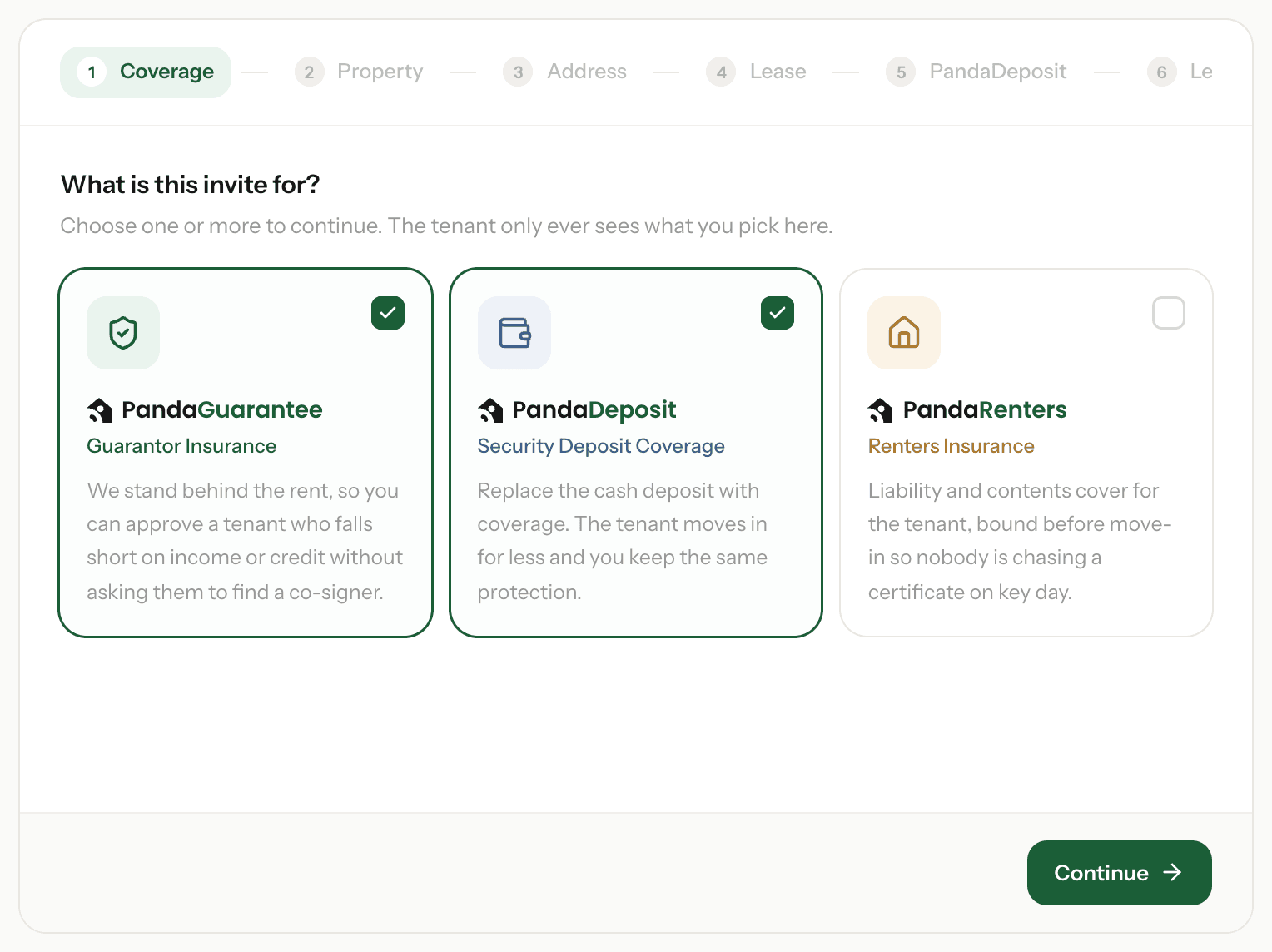
After the lease details, choose how much deposit PandaDeposit replaces: 1, 2 or 3 months of rent. Any additional coverage on the lease is added on top.
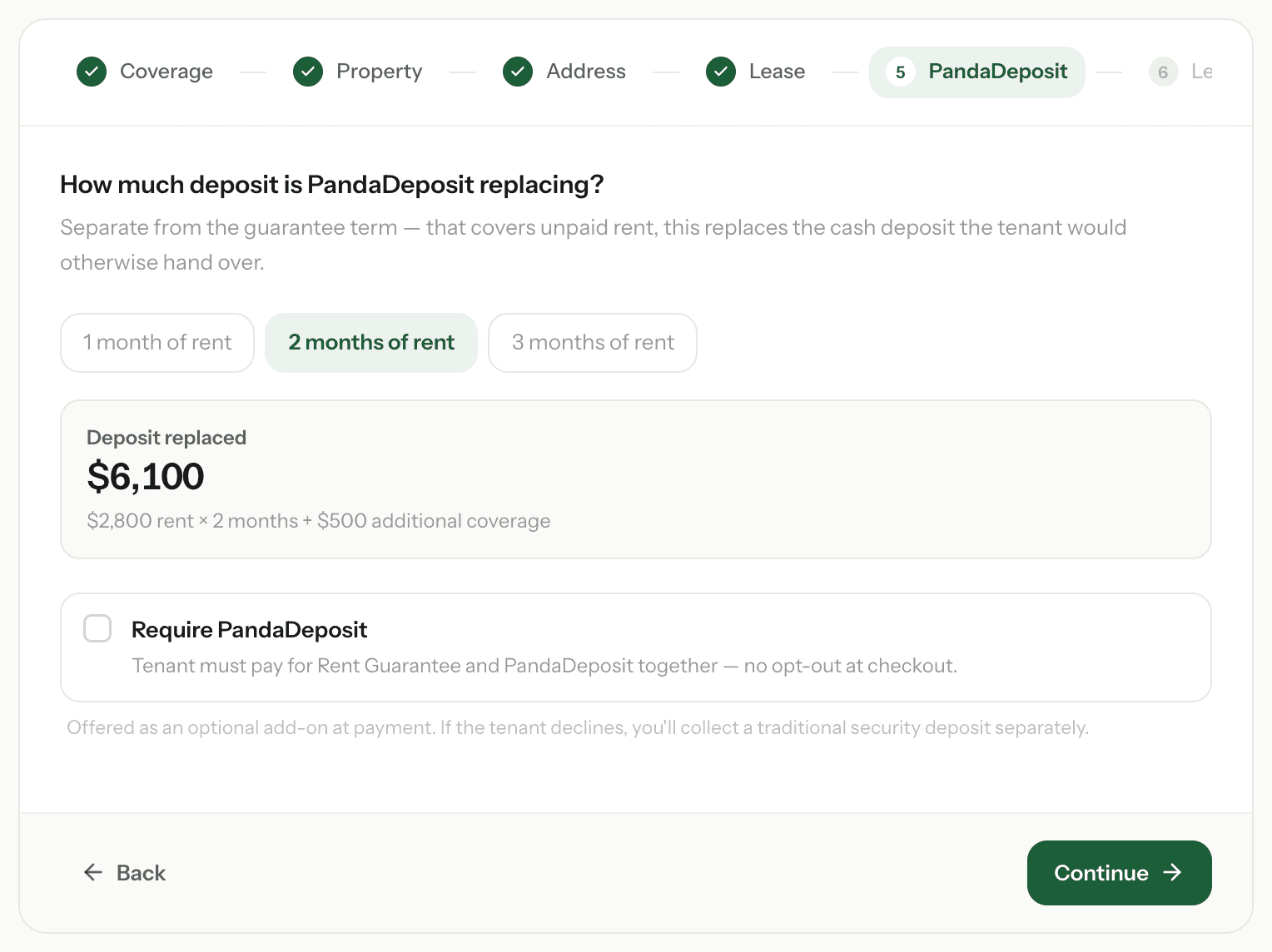
- Optional (the default): the tenant chooses With PandaDeposit or Without PandaDeposit when they pay. If they say no, you collect a cash deposit as usual.
- Require PandaDeposit: the tenant pays for PandaGuarantee and PandaDeposit together, with no opt-out.
Set a default for a property
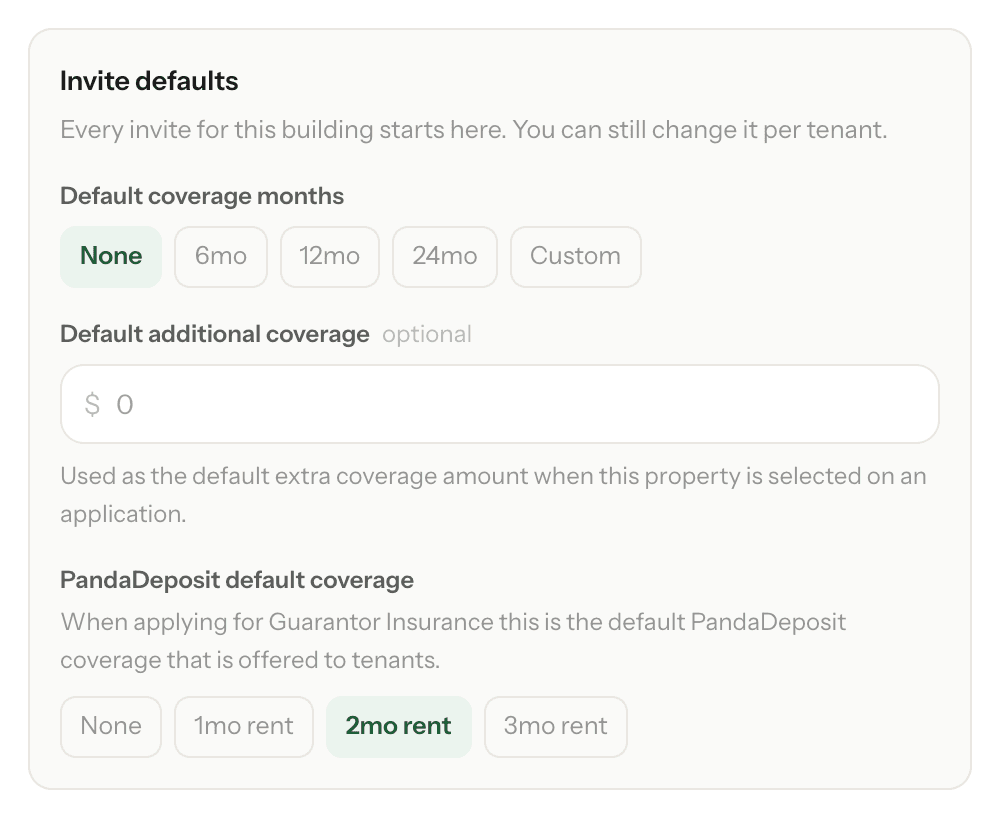
Go to Properties, click the property and choose a PandaDeposit default coverage under Invite defaults, then click Save changes. Every new invite at that property starts with PandaDeposit at that amount — you can still change it for each tenant.
After the tenant has applied
- Invite sent, but the tenant hasn't started: cancel the invite and send a new one with PandaDeposit ticked.
- We ask you to confirm the lease details: choose the months under PandaDeposit Coverage Months as you confirm them.
- The tenant has applied but hasn't paid: email support@pandaguarantee.com with the application number and the months you want. We can update their invoice until it's paid.
After the bond is issued
Go to Policies → Guarantor Insurance, use the No PandaDeposit filter and open the policy. If PandaDeposit can still be added, you'll see Offer PandaDeposit. We email and text the tenant a one-time add-on price, and once they pay we reissue the bond with PandaDeposit on it.
The amount comes from the property's PandaDeposit default (or what was priced when they applied). The button doesn't appear if the guarantee hasn't been paid for, a bond change is waiting, or there's no PandaDeposit amount to price it from — set a default on the property first.
Changing or removing it later
Once the bond is issued, email us to change or remove PandaDeposit. If you change the rent with Request a change, PandaDeposit moves with it at the same number of months.
Why can't my tenant see the PandaDeposit option?
- The invite didn't include PandaDeposit and the property has no default.
- No PandaDeposit was chosen when the lease details were confirmed, or the tenant picked Without PandaDeposit.
- We haven't sent their invoice yet — the option appears when they pay, after their application is approved.
- It's required, so it's already in their price rather than shown as a choice.
- They've already paid. Use Offer PandaDeposit on the policy instead.
Need a hand? Email support@pandaguarantee.com or call 332-290-1800 ext. 2.
Didn't find what you needed?
Ask our team